Netflix Together
Because Stories
are Better Shared
A social viewing feature that brings friend-driven
discovery and co-watching right into Netflix.
90%
Task-success rate
4.6/5
Overall expereince


Glance EHR
3 months
October 2025
Product Design
HIGHLIGHT
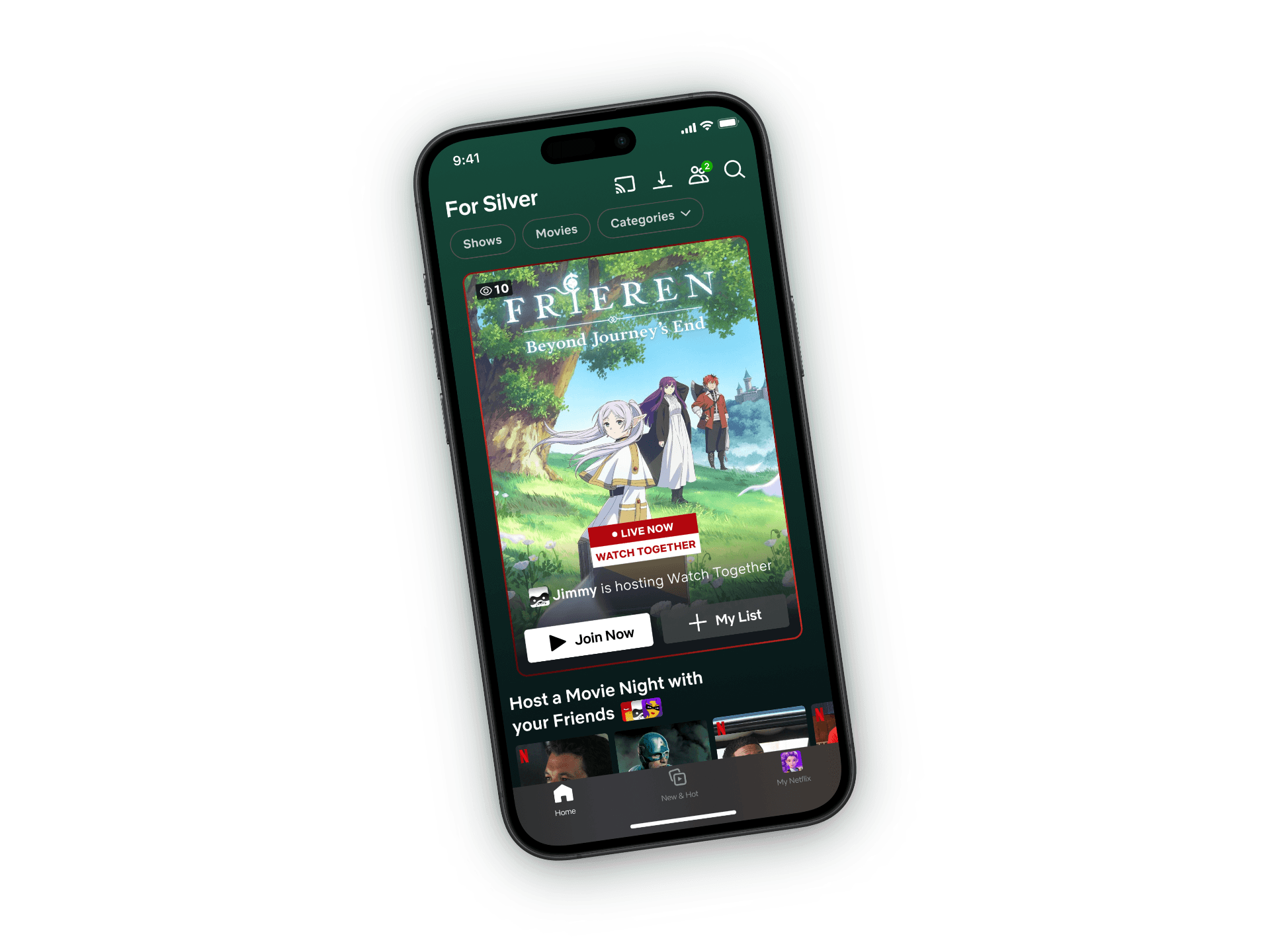
Introducing Netflix Together
An exploration into how Netflix can bring real social presence into streaming by redesigning the watch-together experience to feel instant, emotional, and fully native. This project reimagines how friends connect, react, and share moments without the friction of third-party tools.
Seamless Invite
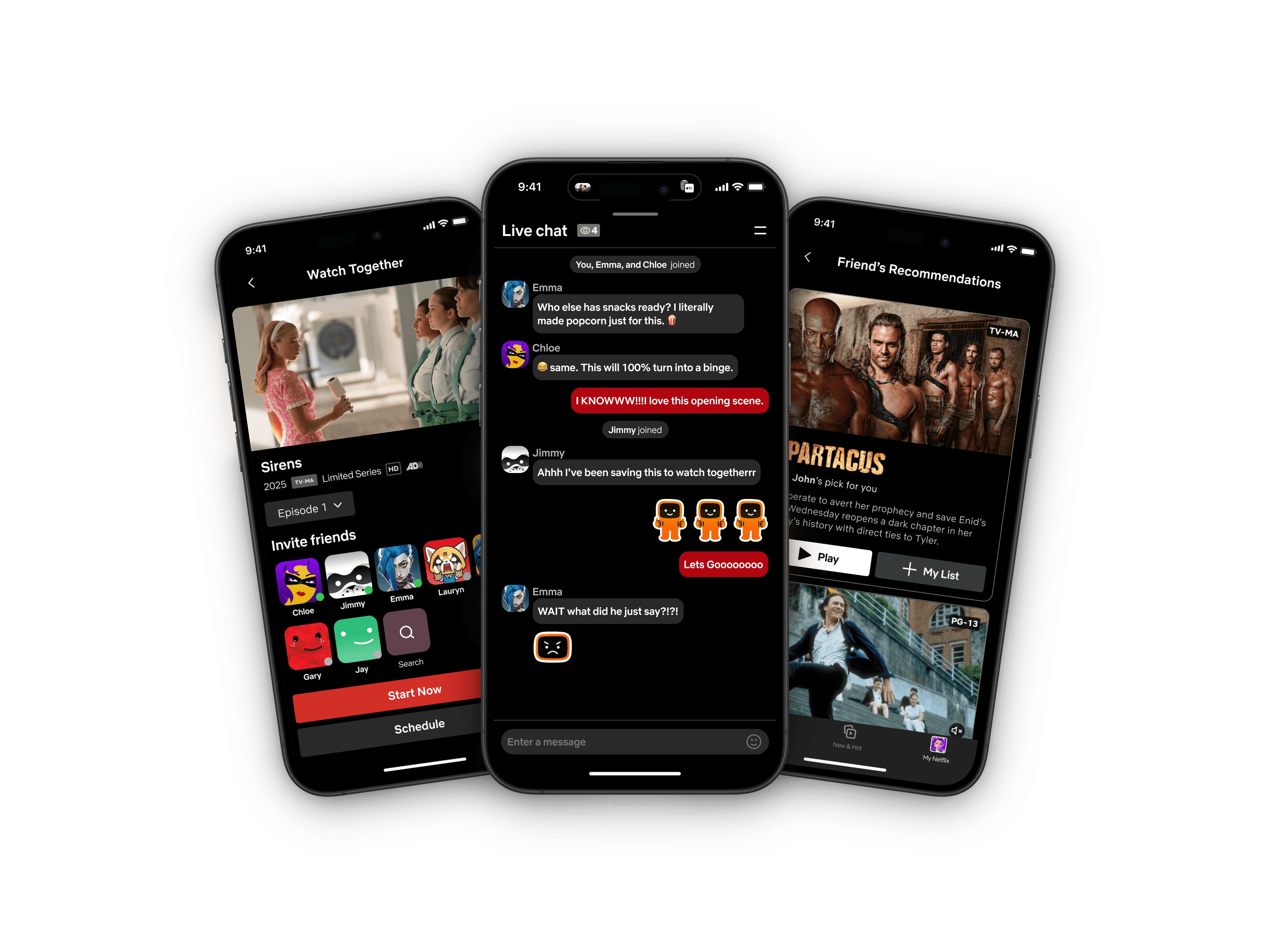
Clicking Watch Together opens a streamlined invite flow where users can select friends directly from their list and choose to start now or schedule a future session. The interface minimizes decision points and friction, allowing users to complete the entire process within a few taps.
Real-Time Reaction
One click and you’re in. Playback and chat stay perfectly in sync. No screenshots, no side chats. Real-time reactions keep the conversation where the story unfolds on your TV screen.
Friends Activity
& Shared Lists
Discover what your friends are watching and what they recommend next.
CONTEXT
People still trust people but discover through social media. Yet, that conversation happens outside Netflix. There’s an opportunity to bring it back inside the platform where watching, reacting, and recommending can finally live together.
Where do people find what to watch?
0%
100%
55%
People still rely on friends & family for recommendations in all ages.
0%
100%
64%
People under 35, discover shows on TikTok, YouTube, or Instagram.
0%
100%
49%
People under 35, pays attention to platform recommendations.
Source: Hub Entertainment Research, 2024
PROBLEM STATEMENT
Users still want to feel the excitement of watching Netflix with friends and discover new shows through them without losing the cinematic flow.
GOALS
Create a frictionless "Watch Together" mode within Netflix
Reconnect social discovery and shared viewing in one experience
Maintain the familiar interface while layering emotional presence
HYPOTHESIS
If Netflix makes watching and recommending shows part of one shared social experience, users will not only feel more connected, but users will also engage longer, discover more, and see greater value in upgrading their plan.
USER RESEARCH
Interviewed with 10 active Netflix subscribers (ages 24-50) to understand how they share and watch shows together. A consistent pattern emerged: watching together was clunky, and discovery was fragmented.

"1…2…3…Go! wait, let's try again"
Participants kept restarting because their videos never synced on the first try

"Nothing interests me"
Users spend 10-15 minutes browsing, frequently encountering repeated content

"Wait, what did he tell me to watch?"
Recommendations scatter across chats, so users often forget the title and who suggested it.
To guide our MVP decisions, we conducted a feature-preference survey where 10 users selected the co-watching features they would be most likely to use.
Must have features:
Most Users
(7-10)
Friend's Rating
Schedule to Watch Party
Watch Party
Send Recommendation
Many Users
(5-6)
AI Recommendations for the group
Friend Activity Feed
Shared Watchlist
Some Users
(3-4)
Profile Mood Tags
View Friend's Profile
Customized List
Few Users
(1-2)
Quizzes or gamified watching
Personalized Party Rules
Advanced Filters
Rarely Preferred
Occasionally Preferred
Frequently Preferred
Highly Preferred
COMPETITOR ANALYSIS
Analyzed current watch-party solutions, social discovery tools, and third-party extensions to pinpoint what works, what doesn’t, and where Netflix has an opportunity to lead.





KEY INSIGHTS
No existing platform brings together native integration, emotional engagement, and effortless setup for watching together.
Revealing a clear opportunity for Netflix to lead the future of social streaming.
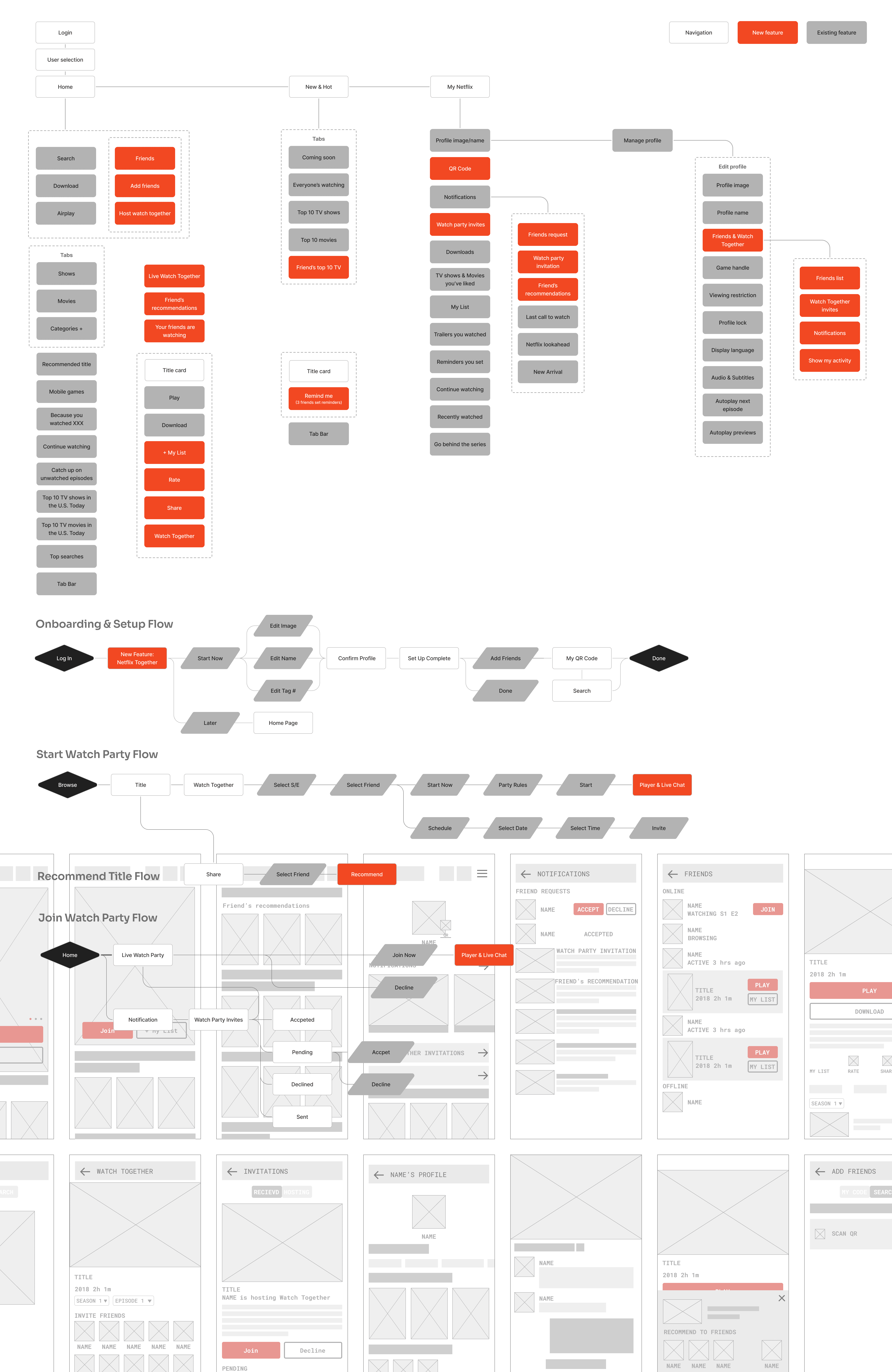
IDEATION
FINAL DESIGN
Based on the core flows and low-fi screens, I moved into fast iteration cycles by user testing with 5 users. Prototyping, testing, and refining repeatedly to validate decisions and ensure every social interaction felt intuitive.
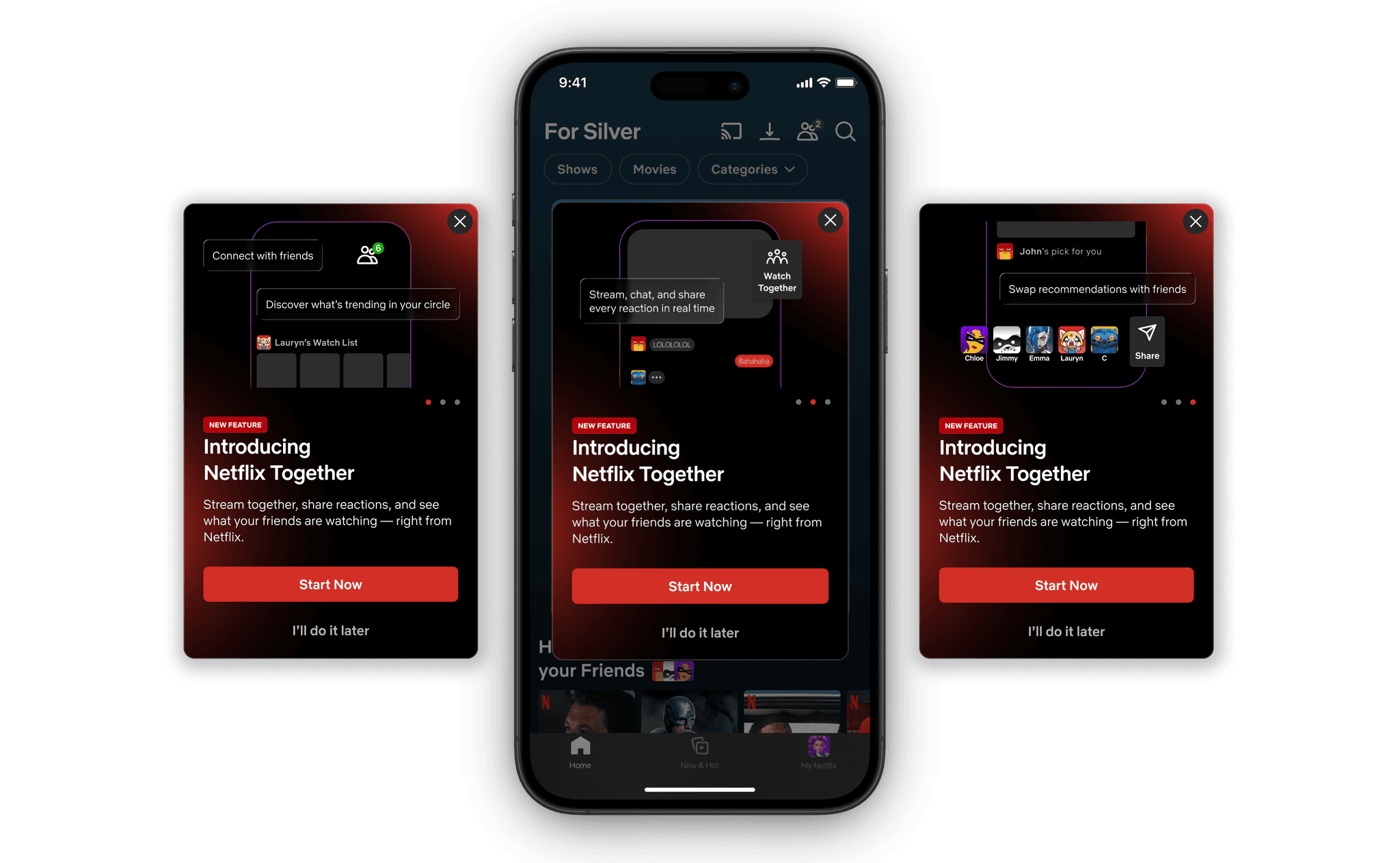
Introducing the Watch Together
The feature is introduced through a simple onboarding carousel. A familiar swipe interaction that highlights key benefits without overwhelming the user. Each card focuses on a single action: connect, watch, and share.
Adding Friends
Connecting is effortless users can add friends through QR, link, or quick search, just like any other social app.
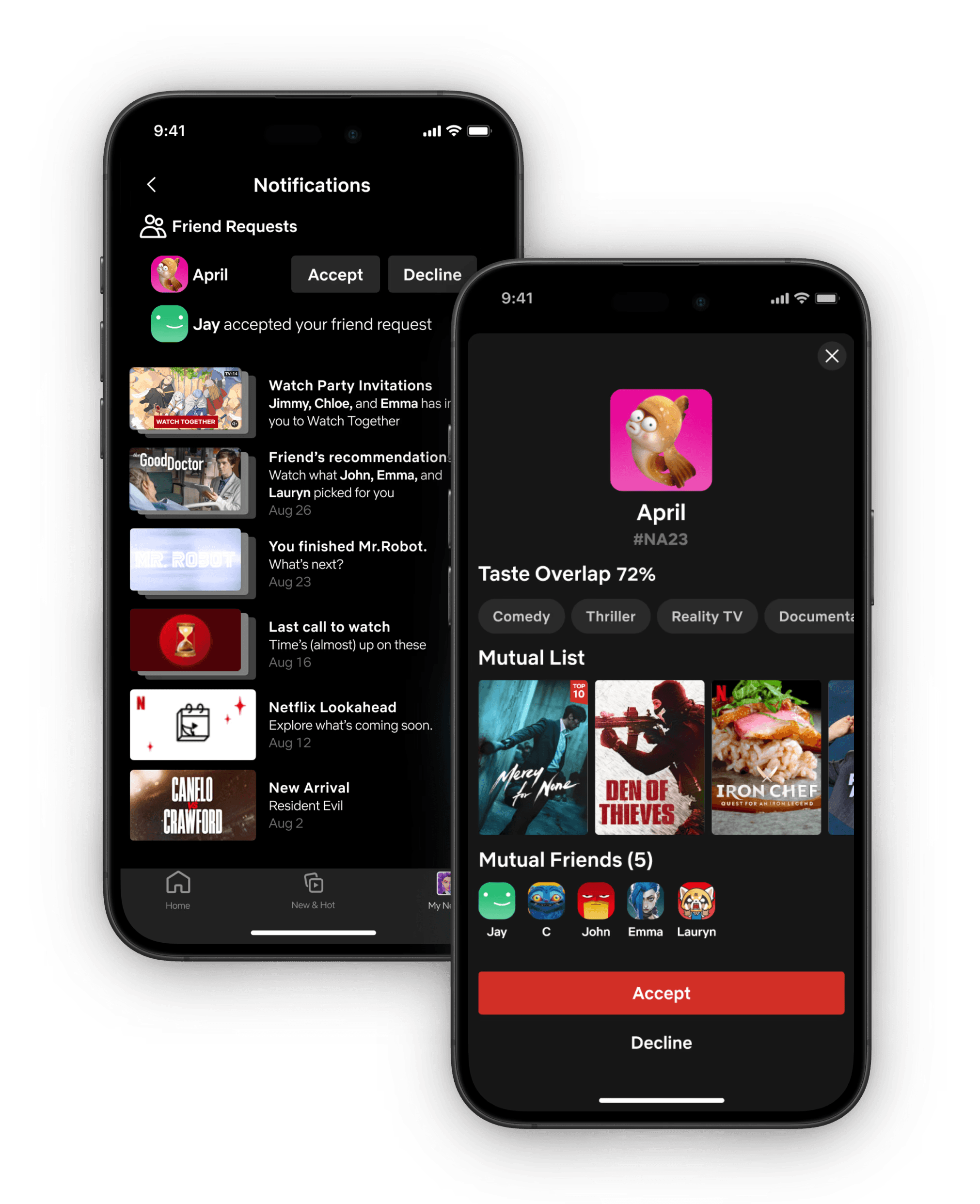
Friend Request
From the notification, users can view the requester’s full profile explore mutual shows, friends, and shared interests before choosing to accept or decline.

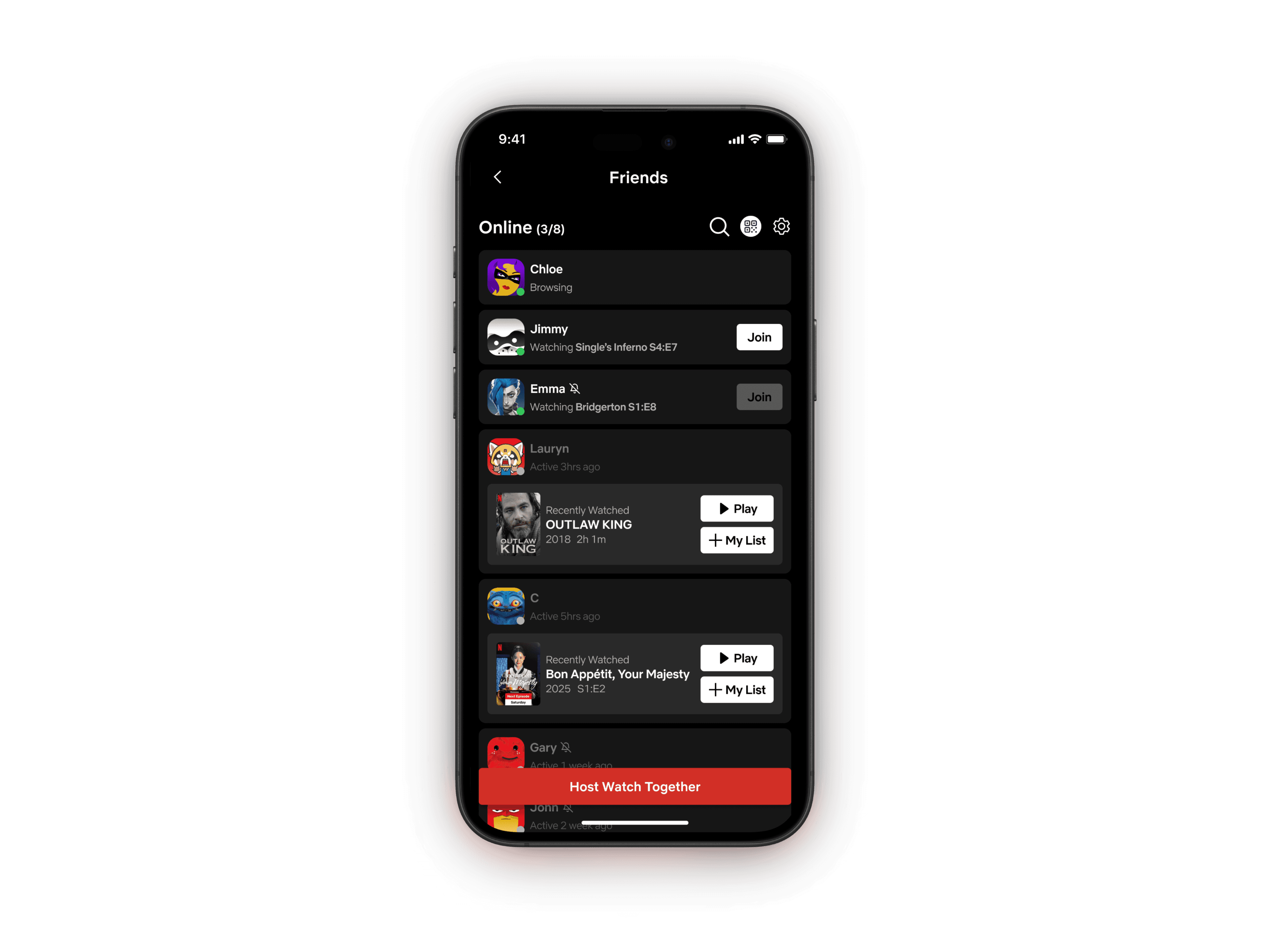
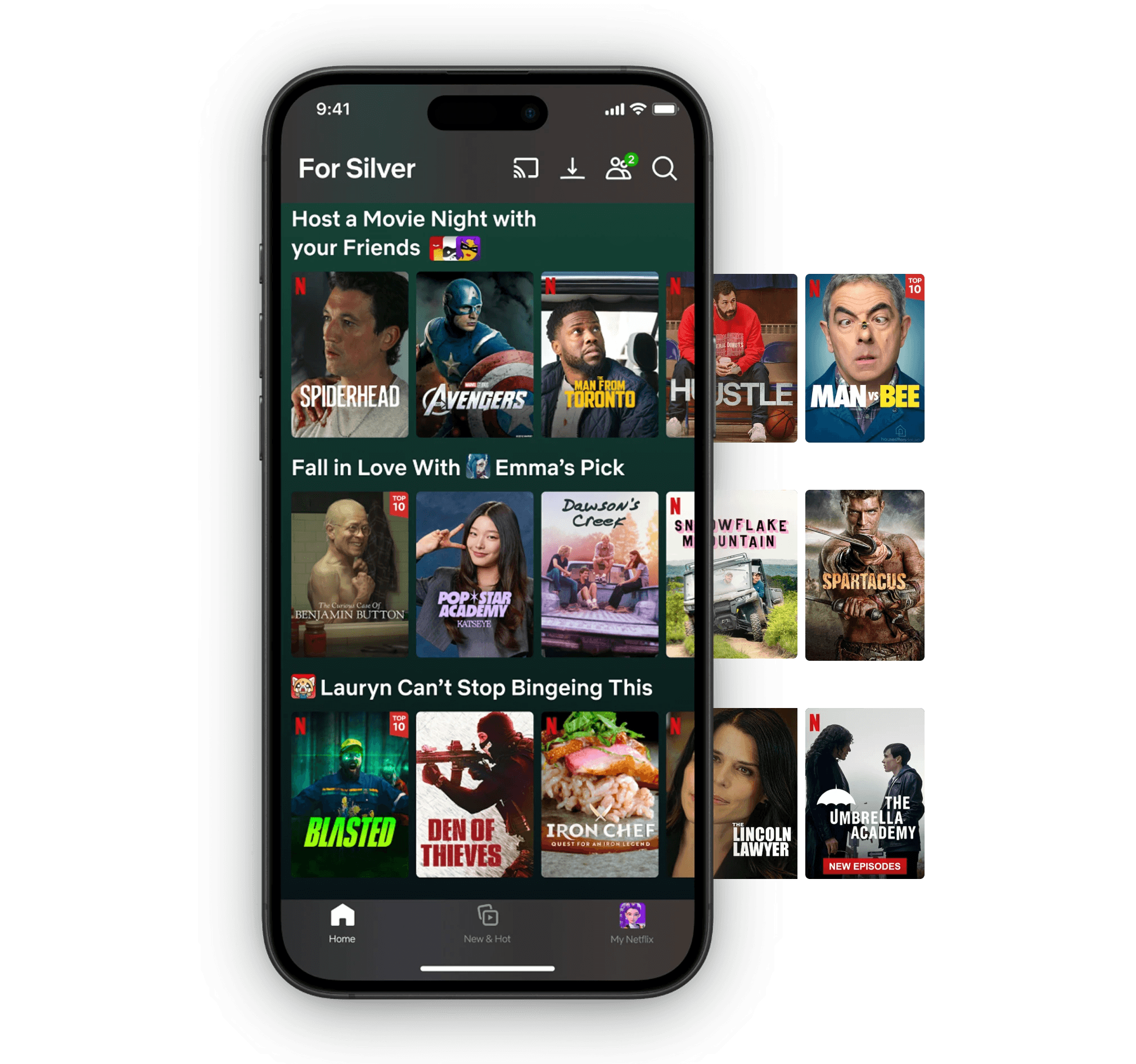
Friends & Activity Feed
A dedicated space to see what friends are watching, browsing, or have recently finished. Making discovery feel more personal and effortless. Users can instantly join an active session or add a friend's recent show to their own list.
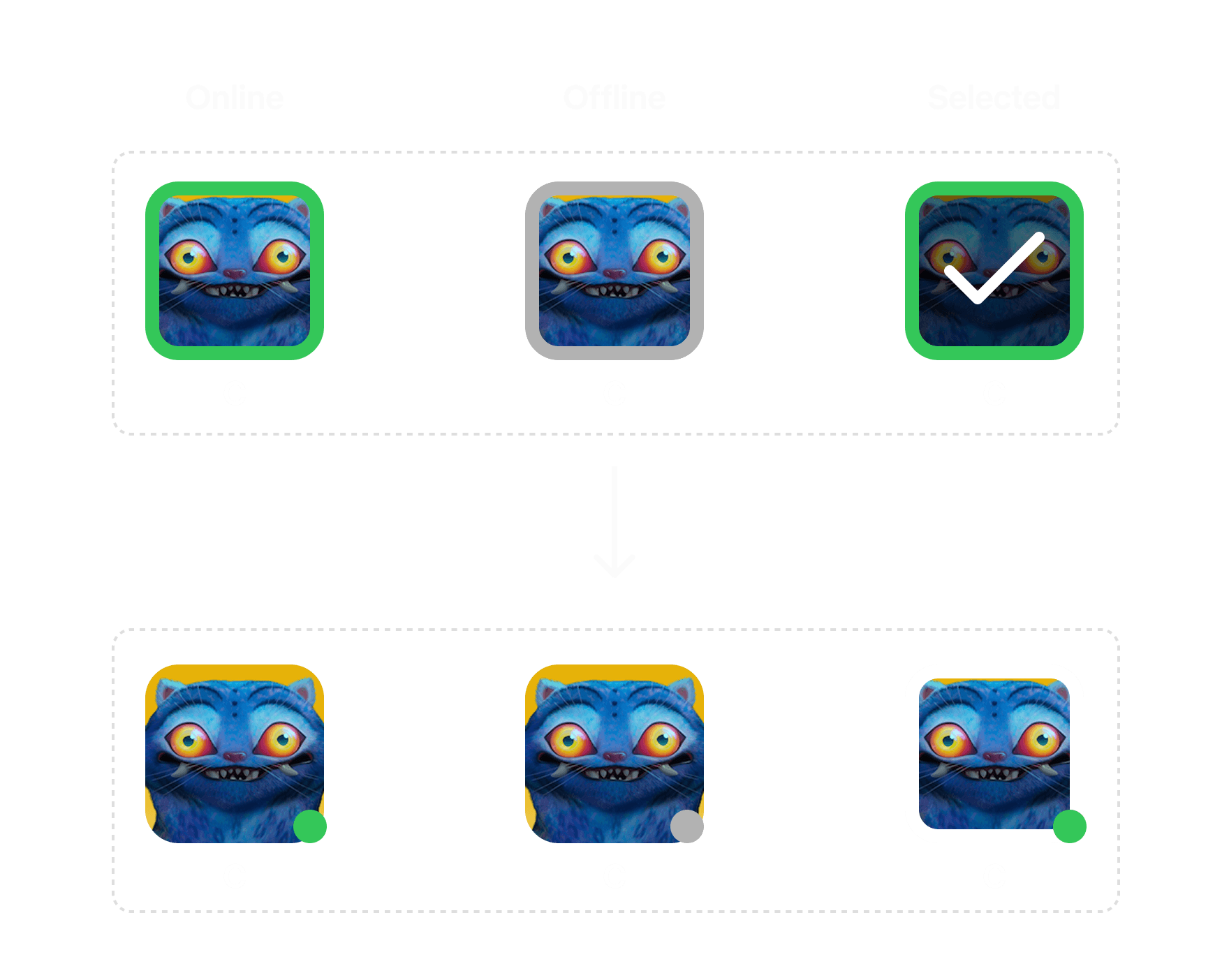
8 users preferred a simple green dot to indicate online status.
A familiar pattern they already recognize from other social platforms.
Recommend
Recommend shows directly within the app. Share a title with friends instantly, no screenshots or links needed.
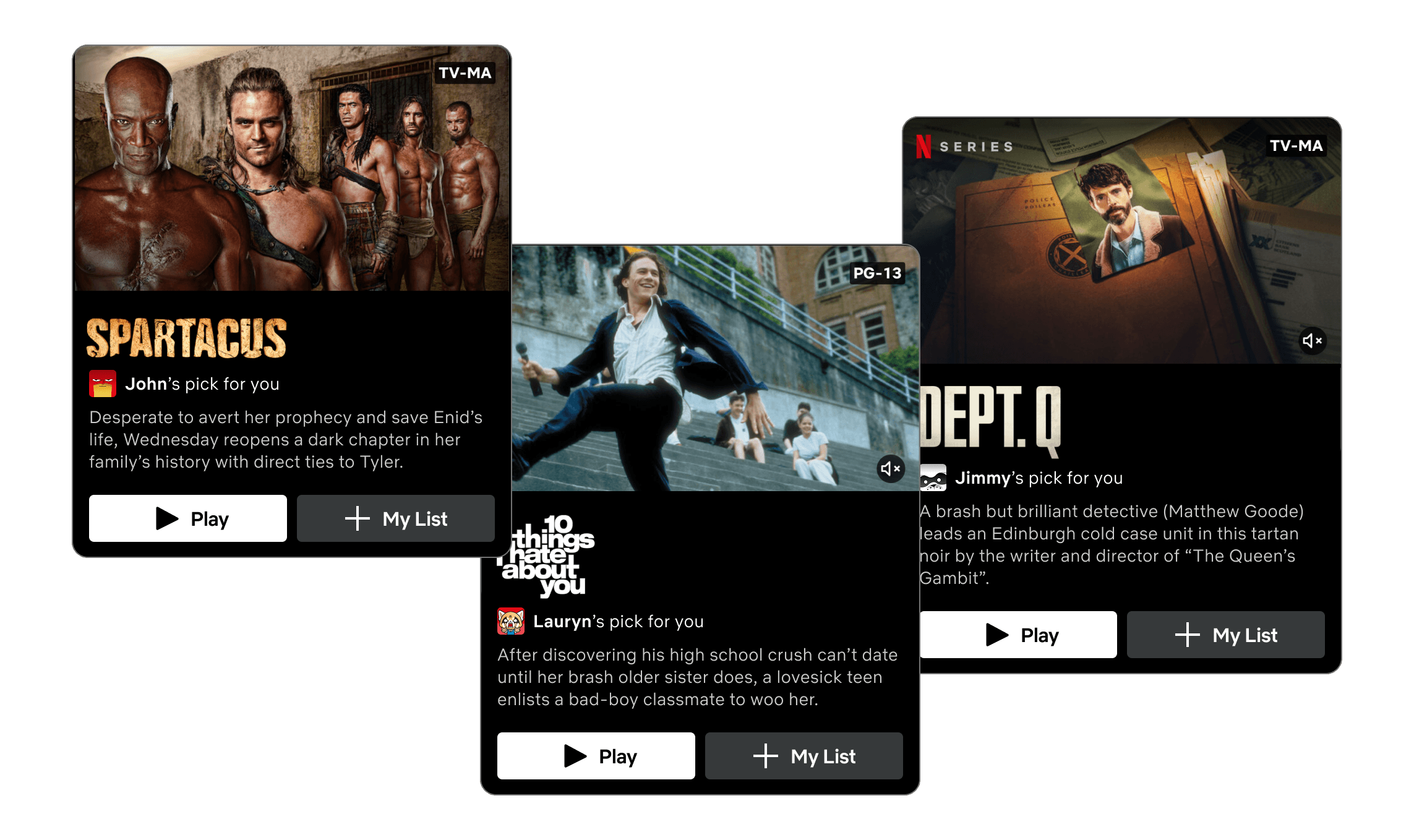
Get Recommended
See what friends think you'll love. Start watching or add it to your list.
Customized Feed
A personalized feed that highlights what your friends are currently watching, binging, and recommending.
Making the discovery feel more relevant and engaging.
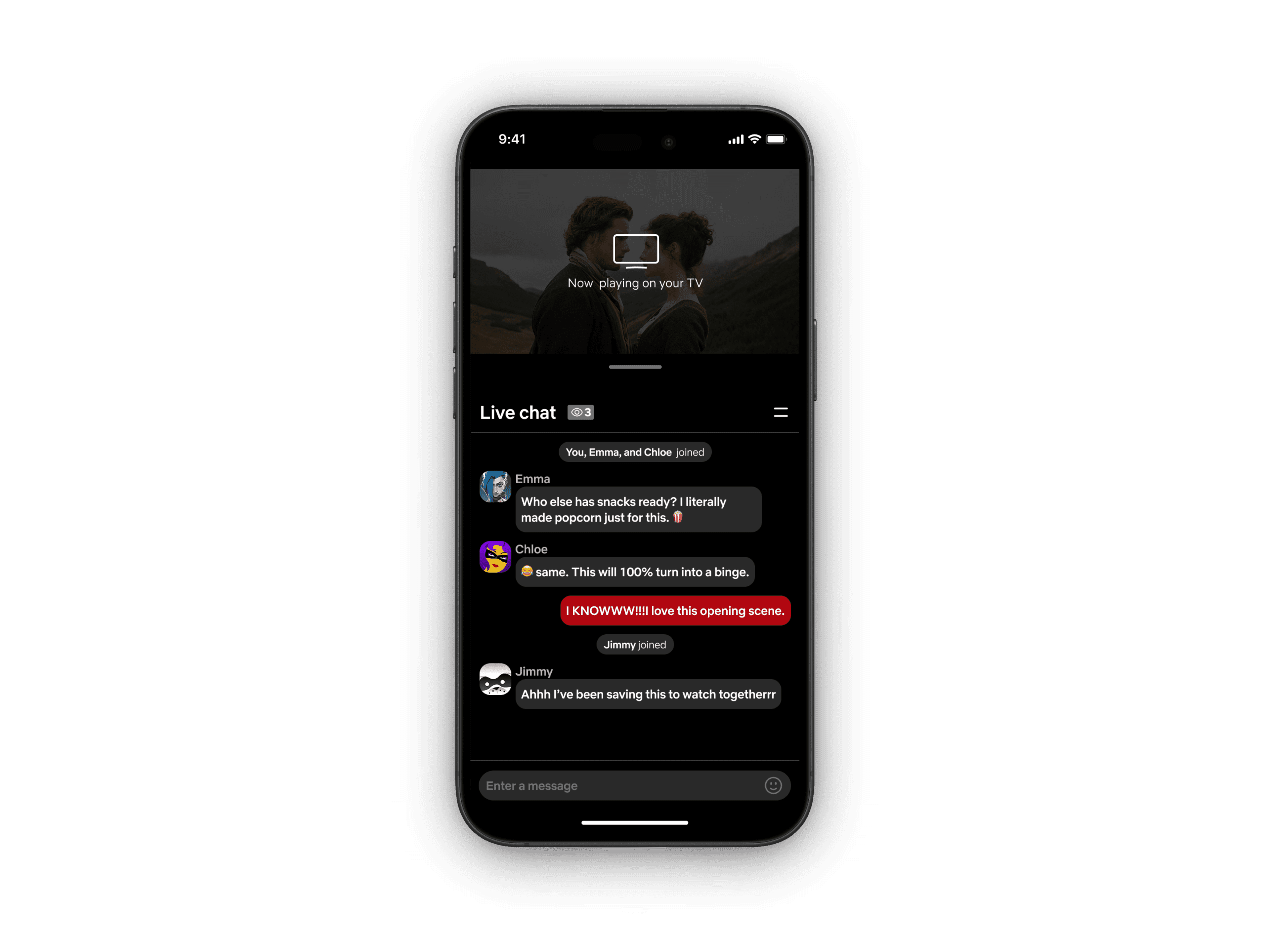
Watch on TV,
React on Mobile
Over 60% of Netflix viewing happens on TV screens. This design extends the experience to mobile, turning the phone into a shared space for live chat and reactions—while the story unfolds on the big screen.
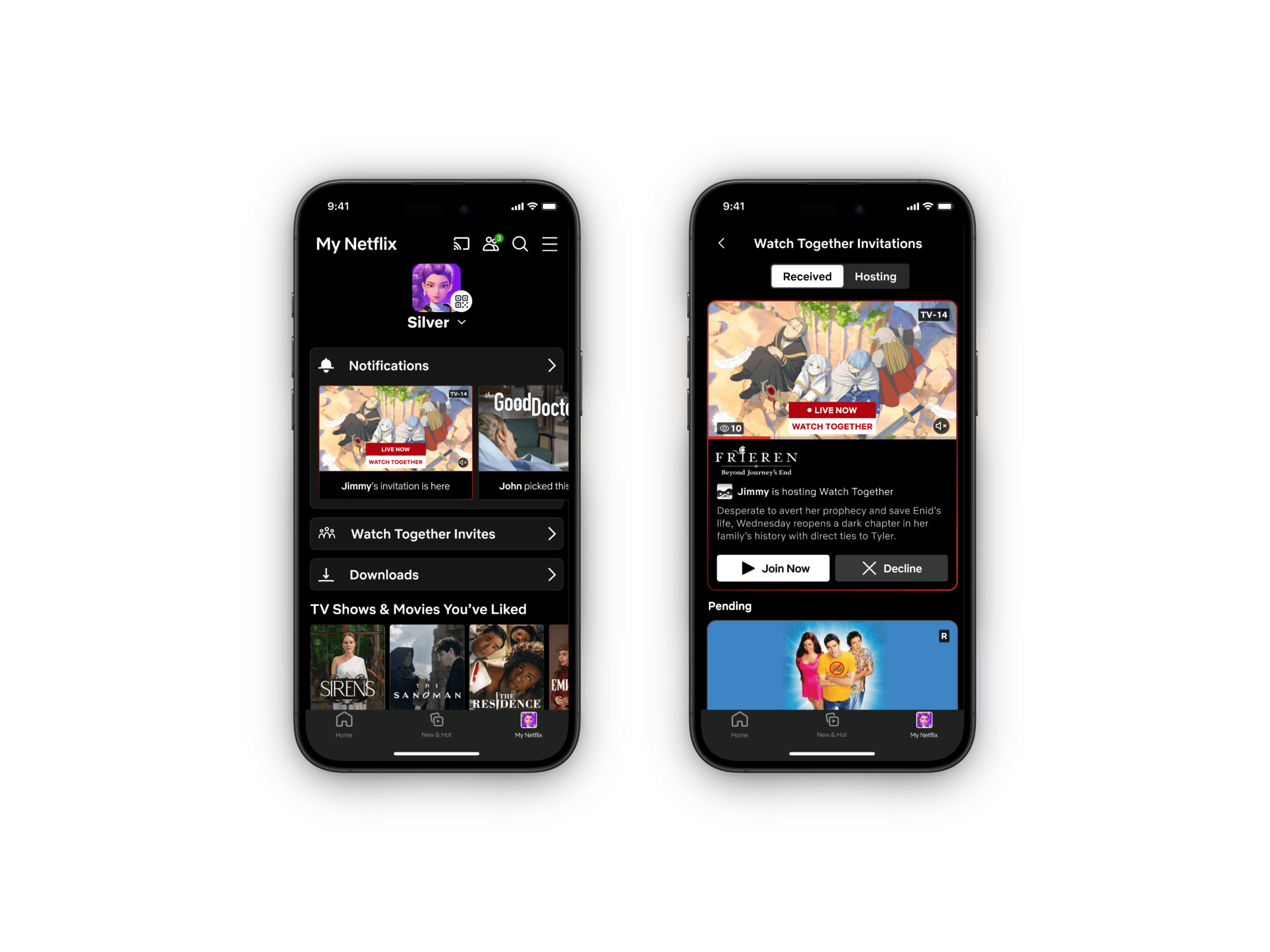
A Home for Watch Together Invites
Created a separate space for Watch Together invitations so they don’t get lost among other notifications.
Here, users can view all their received and hosted sessions in one place making it easy to jump in or plan the next one.
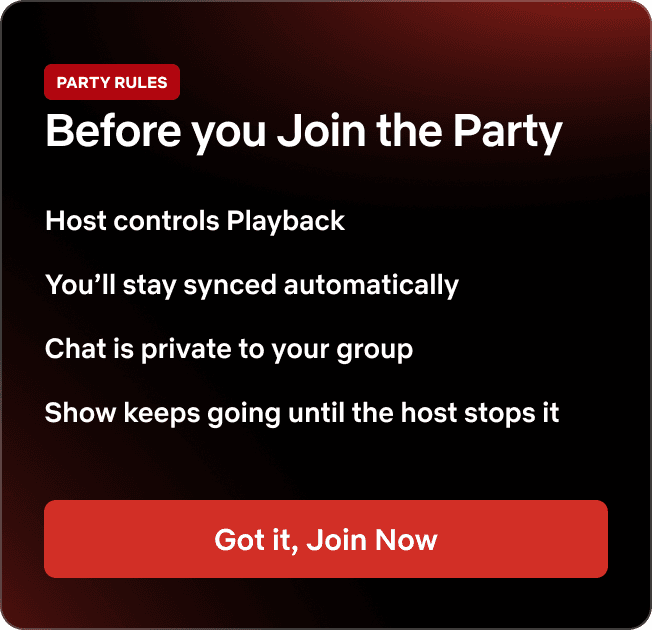
Before Joining, Party Rules
Research on multiplayer UX shows that clear role visibility and control transparency improve participation and reduce early drop-offs. To set clear expectations, “Party Rules” screen was added before joining the watch party.
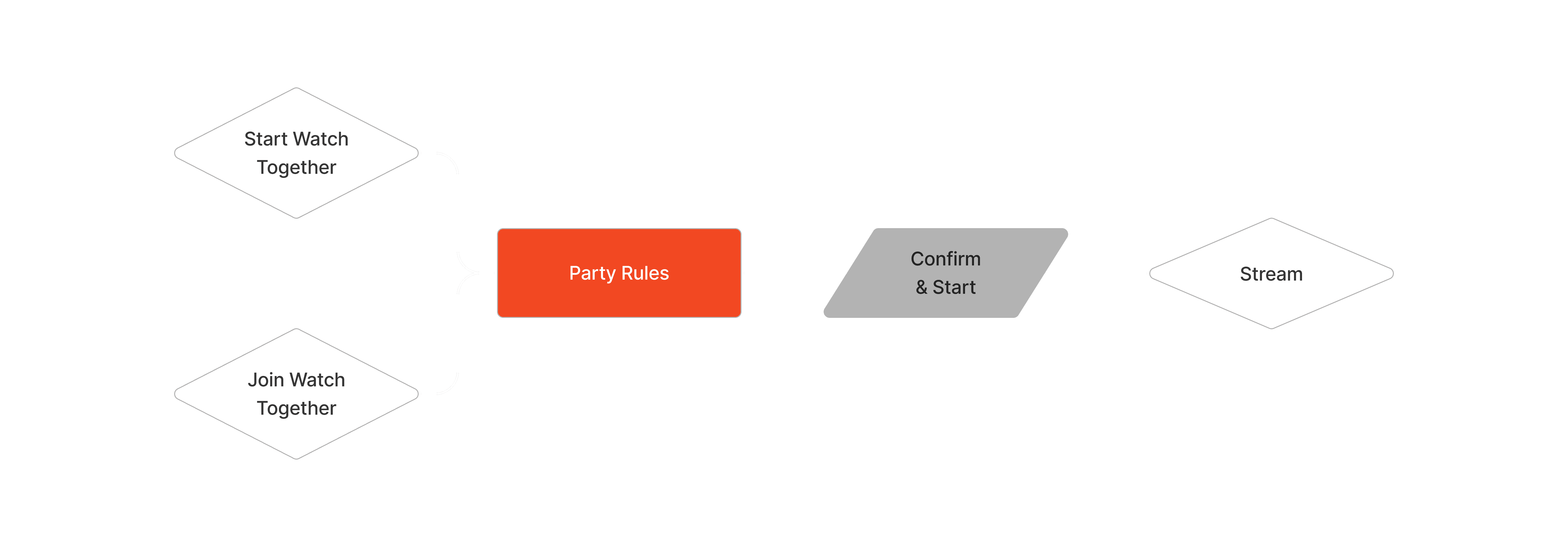
User tests confirmed the need for this. 60% participants were unsure about who controlled playback or what would happen after joining. Introducing the Party Rules immediately increased clarity and user confidence, reducing hesitation and making the entry experience feel more predictable and secure.
4 users highlighted privacy as a key barrier to using social features.
Privacy & Control
To make users comfortable sharing viewing activity, we added adjustable privacy setting. Users wanted to feel connected, not exposed. The privacy layer helped transformed the feature from a "social add-on" into a trusted space for genuine sharing.
IMPACT
After rounds of usability testing with 10 active Netflix users between 24-50 age group, each averaging 5-10 hours of watch time per week. The results showed clear engagement and satisfaction with the new experience.
90%
Task-success rate
during usability testing.
60%
of participants said they'd consider upgrading their plan for this feature
4.6/5
Overall experience satisfaction rating
POTENTIAL BUSINESS IMPACT
+
Strengthens user retention through friend-driven discovery. Leading to more views on titles outside the spotlight.
+
Encouraging users to share and engage with content directly within Netflix increases overall engagement time
+
Drives premium upgrades through socially engaging features while adding new value to the premium plan.
REFLECTION
What I learned…
Designing for shared, synchronous behavior is fundamentally different.
To evaluate it well, I had to shift from solo tests to paired task sessions, which surfaced issues individual testing could never reveal: timing mismatches, role confusion, and unclear control states.
This project strengthened how I approach research for multi-user features: clarity, role-visibility, and user confidence matter just as much as the interface itself.
NEXT STEPS
1
Scale testing to larger party sizes 3-6 people
2
Add live voice calls, shared playlists, favorite friend groups
3
Explore AI-curated group recommendations based on collective taste
Other Projects